
HubSpot Integration
Native one-click sync — no Zaps, no CSVs, no duplicates
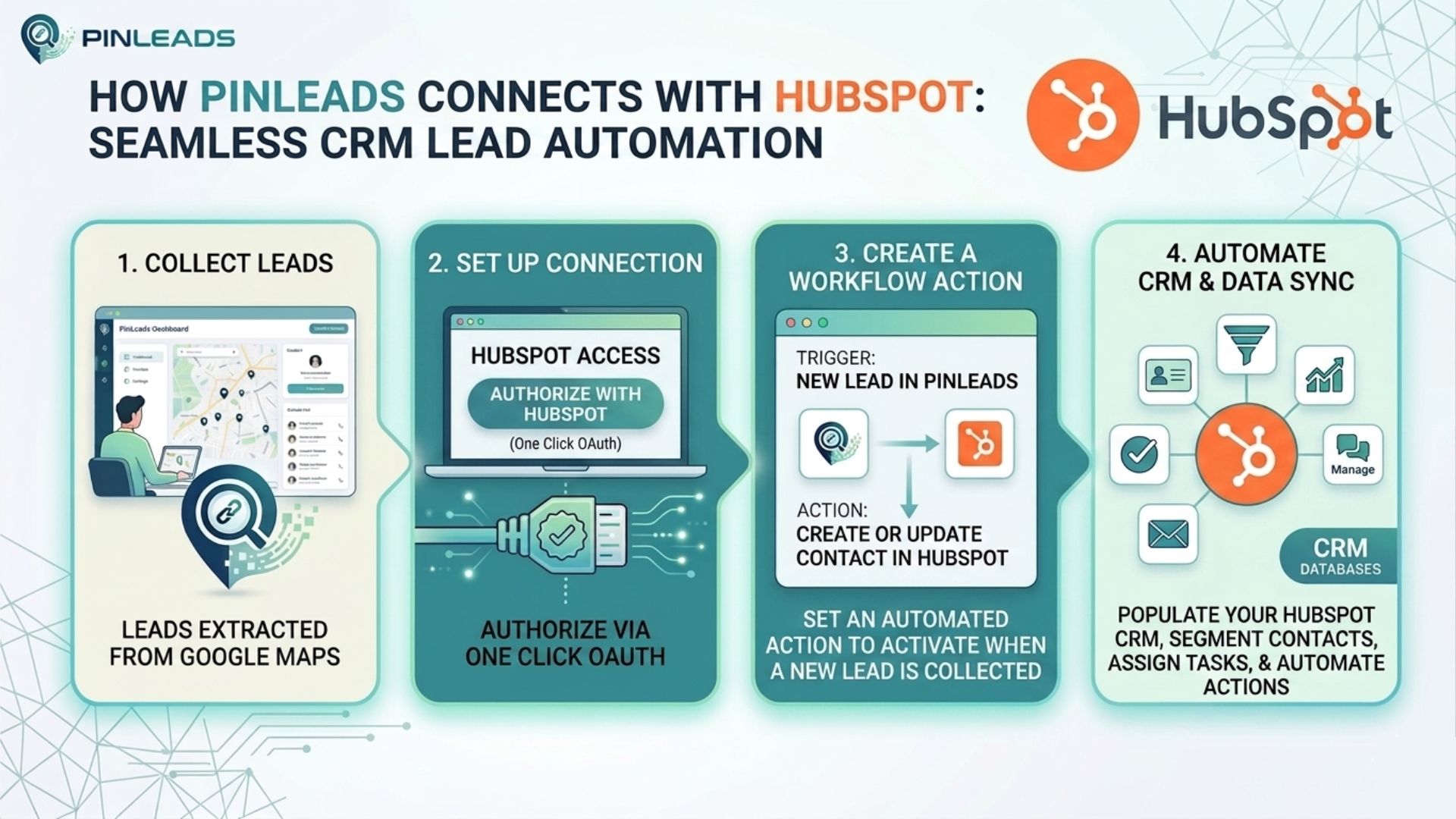
Skip Zapier. Connect HubSpot in one click.
Every business you extract from Google Maps lands in HubSpot the moment your job finishes. Contacts are upserted by email (zero duplicates), companies are created automatically, and associations are set in a single API batch. No Zaps to build, no field mapping to maintain, no task quotas to hit.
One-click OAuth
Connect in under 30 seconds. No API keys to copy.
Zero duplicates
Upsert by email — existing contacts get updated, never duplicated.
Auto companies
Companies deduped by domain and linked to contacts automatically.
How It Works
Connect HubSpot
Go to Account Settings → click "Connect HubSpot" → approve PinLeads in HubSpot.
Extract Leads
Run any PinLeads extraction — single search, bulk URLs, or Chrome extension.
Leads appear in HubSpot
The moment the job finishes, contacts and companies are upserted into your CRM.
What Gets Synced
Contact properties
name→companyemail→email (used for dedupe)phone→phonewebsite→websiteaddress→address—→lifecyclestage (configurable)Company properties
Created automatically when a lead has a website. Deduped by domain.
name,domain,website,phone,address- Auto-associated to the matching contact
⚡ Why Use Native Over Zapier?
| Via Zapier | Native HubSpot | |
|---|---|---|
| Setup time | Build a Zap, map fields, test | One-click OAuth |
| Cost | Requires paid Zapier plan | Free with PinLeads Pro |
| Dedupe by email | Manual filter steps | Built-in |
| Company association | Multi-step Zap | Automatic |
| Bulk push speed | 1 task per lead | Batched (100/call) |
| Task quotas | Yes (Zapier limits) | No |
Pricing
Pro and Business Plans
HubSpot integration is included with Pro (starting at $9.99/month) and Business (starting at $29.99/month) — no extra charges, no per-contact fees.
View PricingReady to connect HubSpot?
Head to your account settings and click "Connect HubSpot" to authorize PinLeads.
Go to Account SettingsFAQ
Will this create duplicate contacts in my HubSpot?
No. PinLeads upserts by email — if a contact with that email already exists, it gets updated, not duplicated.
What happens if a lead has no email?
It is skipped from the HubSpot sync (email is required for safe deduping). The lead still appears in your PinLeads results and can be exported via CSV.
Can I use Zapier and HubSpot at the same time?
Yes. Both fire independently when a scrape completes. Useful if you want HubSpot for sales and a Google Sheet for archival.
What HubSpot data does PinLeads access?
Only contacts and companies (read + write). PinLeads never reads or writes deals, tickets, emails, or any other CRM object.
How do I disconnect?
Account Settings → HubSpot Integration → Disconnect. Tokens are revoked with HubSpot and removed from our database immediately.
Is this in the HubSpot App Marketplace?
We are in the process of submitting the app for marketplace listing. In the meantime, the integration works fully via direct OAuth.
Need help setting up HubSpot?
Contact our support team and we'll walk you through it.